HOME
Slit Lamp
Digital Solution
Digital Camera

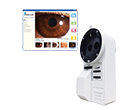
Welcome to the world of INAMI's "digital video camera beam splitter". This integration of INAMI's world wide reputation for optical devices and advanced digital technology was developed with repeated trials in order to reach higher quality in vibrancy of image and usability.
Our 2 mega pixels resolution is a revolution of diagnostic environment.
Images observed through slit lamp or operation microscope binoculars can easily be digitized with our L-0541DC digital video camera beam splitter.
This device takes not only still images but also 15fps clear and smooth movies.
Aperture and focus control and yellow filter selector are available on control panel.
It can be attached to all INAMI's slit lamps apart from ATTO series and Greenough type

Overview :
IEEE-1394 camera
Imaging Sensor :
Sony IC X 274
1/1.8" CCD sensor
Progressive scan
Global shutter
Resolution :
1600X1200BW or Color
Format :
8-bit or 16-bit
12-bit A to D
Pixel Size :
4.4µm X 4.4µm
Frame Rates :
1600 X 1200 at 15 FPS
Partial Image Modes
Format7_Mode_0 (ROI) :
640 X 480 at 21 FPS
320 X 240 at 24 FPS
Partial Image Modes
Format7_Mode_1 :
2 X 2 Pixel binning
Partial Image Modes
Format7_Mode_2 :
1 X 2 Pixel binning
Voltage Requirements :
8-32V
Power consumption :
<3.5W
Gain :
0 to 25dB
Shutter :
110µs to 70ms at 14 FPS
Trigger Modes :
DCAM v.1.31
Trigger_Mode (0, 1.3)
Signal to Noise Ratio :
Greater than 55dB
Dimensions :
60 X 60 X 155mm
Mass :
800g
Camera Spec :
IIDC 1394-based
Digital Camera Spec v1.31
Catalogue


Please click here to see a part of movie that was captured by L-0541DC.
Even subtle textures of iris can be seen clearly.


If you use laptop PC without 6 pin IEEE1394 port, please prepare IEEE 1394 interface card. Then connect L-0541DC and the PC with IEEE1394 cable. An AC adaptor is also required.
If your PC has 6 pin IEEE 1394 port, please simply connect L-0541DC to the PC with IEEE1394 cable. Electricity can be supplied to the camera automatically through the cable.


Q: What do I need to prepare other than L-0541DC itself to begin with?
A: A PC with IEEE1394 port and IEEE1394 cable are necessary. If the PC does not have the port, IEEE1394 interface card is necessary. Those items can easily be found in any large PC stores. For detail of PC connection, please click here.
Q: How do I take picture? Do I need any software?
A: L-0541DC includes a driver-software to take digital signals into the computer, but not an image filing software. It means you can only preview and adjust the capturing image with the driver-software. Usually any image filing software which takes IEEE1394 can be used for taking and filing images, but we recommend "Claio for Inami" which was developed especially for L0541DC.
Q: Do I need a foot switch for capturing images?
A: Usually image filing software including "Claio for Inami" allows users to capture images by clicking the mouse or by pressing a specific key of the PC. But for your ease it may be useful to prepare a foot switch locally. We have the digital style slit lamp in our product range for photo/video shooting using L-0541DC and "Claio for Inami".


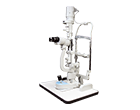
Joystick with shutter button, video recording function and illumination volume adjustment, everything is on the base of this slit lamp for ease of use. You can take still image and movie in one position.

This newly designed column part enables you to attach various devices such as laser system and back-groung illumination.
One-click light field changer is also mounted for contact lens users.